> ## Documentation Index
> Fetch the complete documentation index at: https://c42d5cb-opencomputer.manicule.dev/llms.txt
> Use this file to discover all available pages before exploring further.
> For every page in one file, fetch https://c42d5cb-opencomputer.manicule.dev/llms-full.txt (large).
> To search and read these docs as tools, connect the MCP server at https://c42d5cb-opencomputer.manicule.dev/api/mcp.
> Every agent surface: https://c42d5cb-opencomputer.manicule.dev/.well-known/llms-manifest.json
# Subagents (/slack/subagents)
Related: [Threads](/slack/threads.md), [Shared threads](/slack/shared-threads.md), [Linked and spawned threads](/slack/linked-and-spawned-threads.md), [Mid-turn messages](/slack/mid-turn-messages.md), [Permission modes](/slack/permission-modes.md), [Approvals, questions and plans](/slack/approvals-questions-plans.md)
> Subagents of a Claude Code session appear in a panel in the thread; its buttons work in one-machine mode only
A Claude Code session can start subagents, in the foreground or in the background. Codex sessions have no subagents.
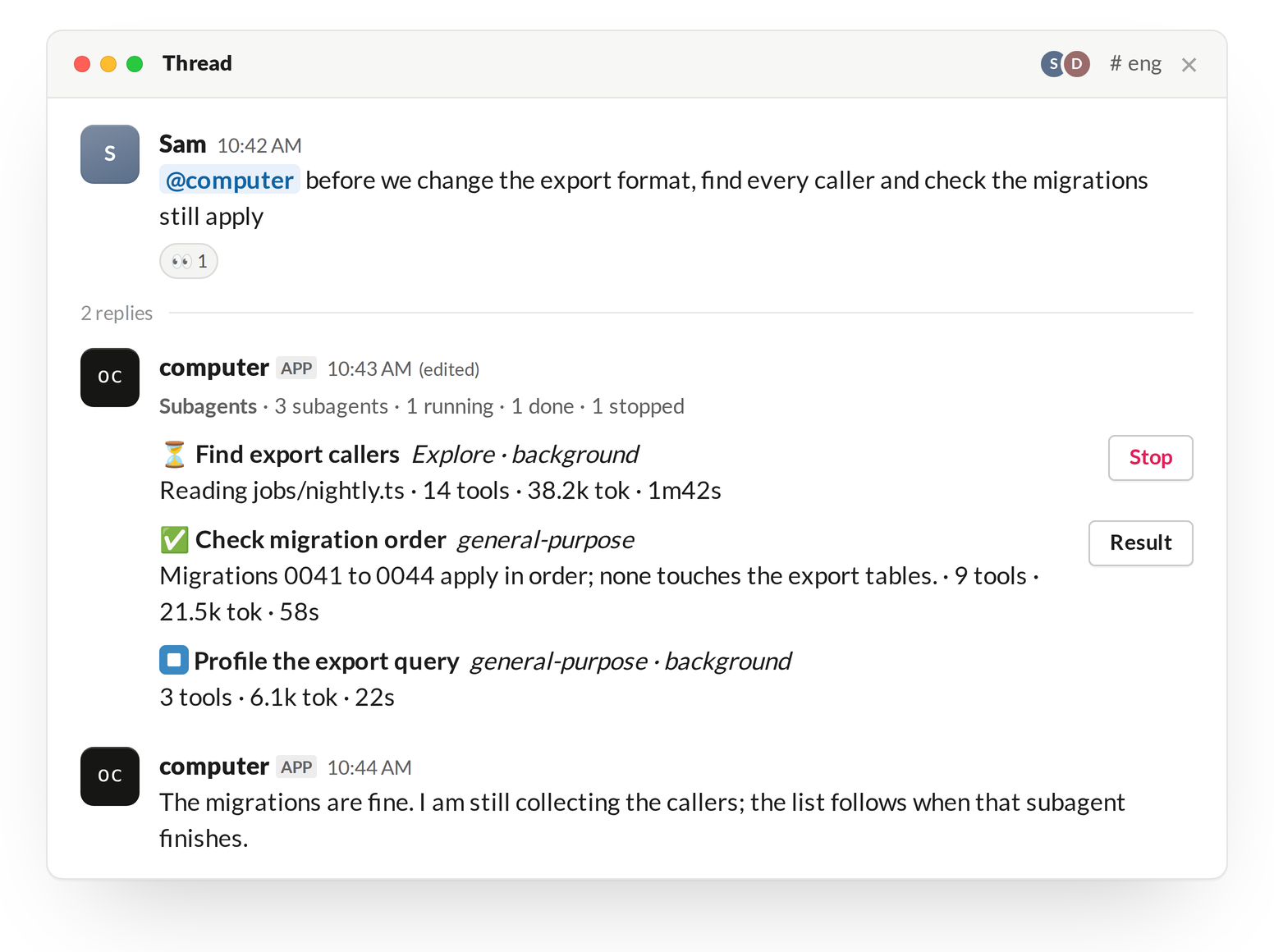 ## Panel
The panel is one Slack message, updated in place; the turn's text continues in a new message under it. Its header counts the subagents running, done, failed and stopped. Each subagent has one row:
| Part | Content |
| ------------- | ----------------------------------------------------------------------------- |
| Icon | ⏳ running, ✅ done, ❌ failed, ⏹ stopped |
| Name and type | The subagent's name and agent type; "background" if it runs in the background |
| Activity | What it is doing now, or the first line of its result once finished |
| Counters | Tool calls, tokens, elapsed time |
The panel shows the latest 45 subagents. It keeps updating after its turn ends while background subagents run.
## Buttons
| Button | Shown on | Effect |
| ------ | ---------------------------- | ------------------------------------------------------ |
| Stop | A running row | Stops that subagent. |
| Result | A finished row with a result | Opens the result in a modal (first 11,900 characters). |
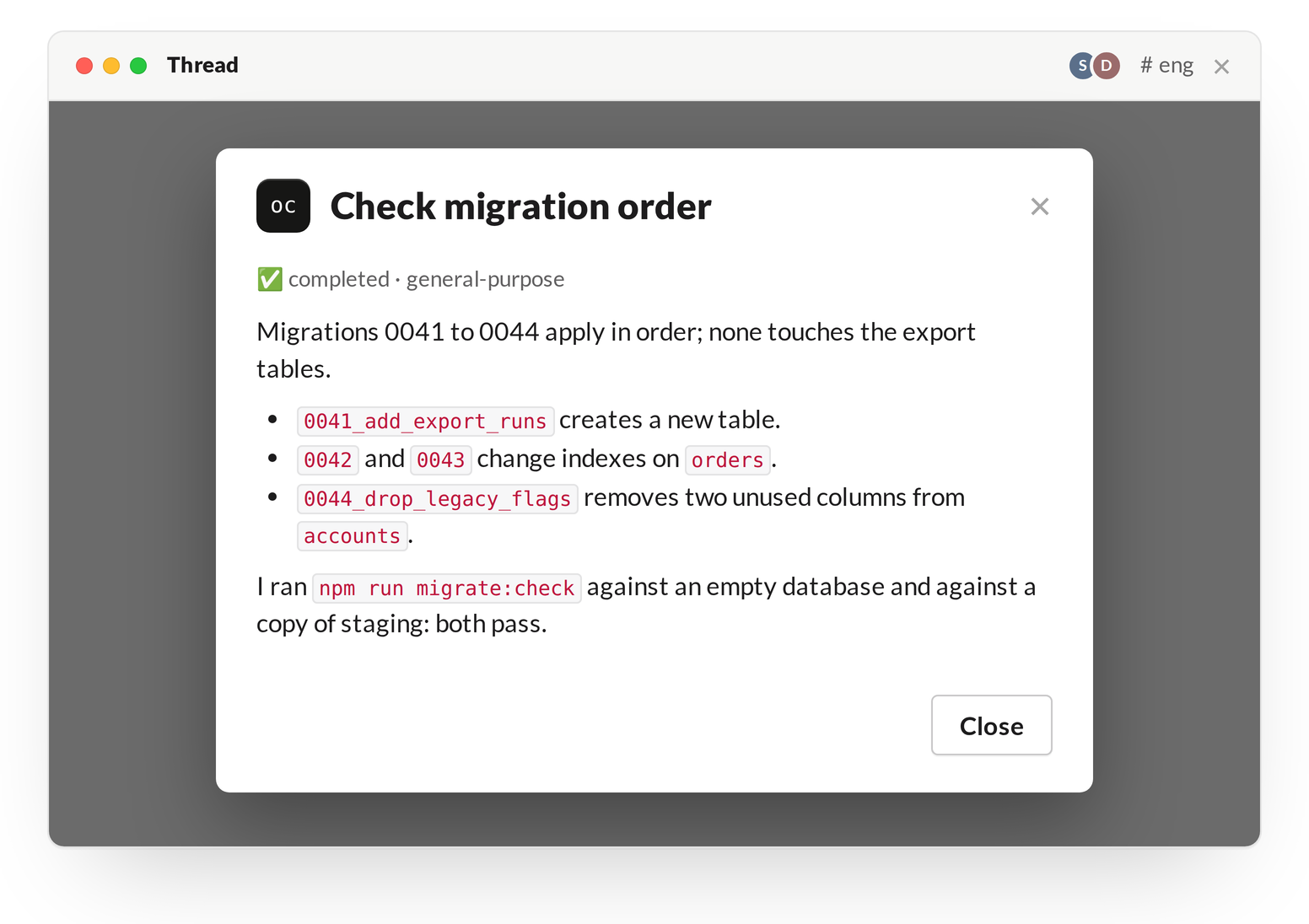 * The buttons work in one-machine mode only. In a team install a click does nothing: use `!stop` to stop the turn, and ask the agent in the thread for a subagent's result.
* After the process restarts, the buttons on earlier panels do nothing.
## Idle exit and the API
The [idle exit](/slack/threads#idle-exit) waits while a subagent runs: the 2 hours count from the end of the last one.
The same subagents are listed over the API; see Subagents.